Web + 3 mobile apps

One platform, the perfect surface for everyone.

The office runs on a rich web console. Teachers, parents and drivers each get a focused, friendly app, so every person gets exactly what they need, and nothing they don't.
Teacher app

Your whole teaching day, in your pocket

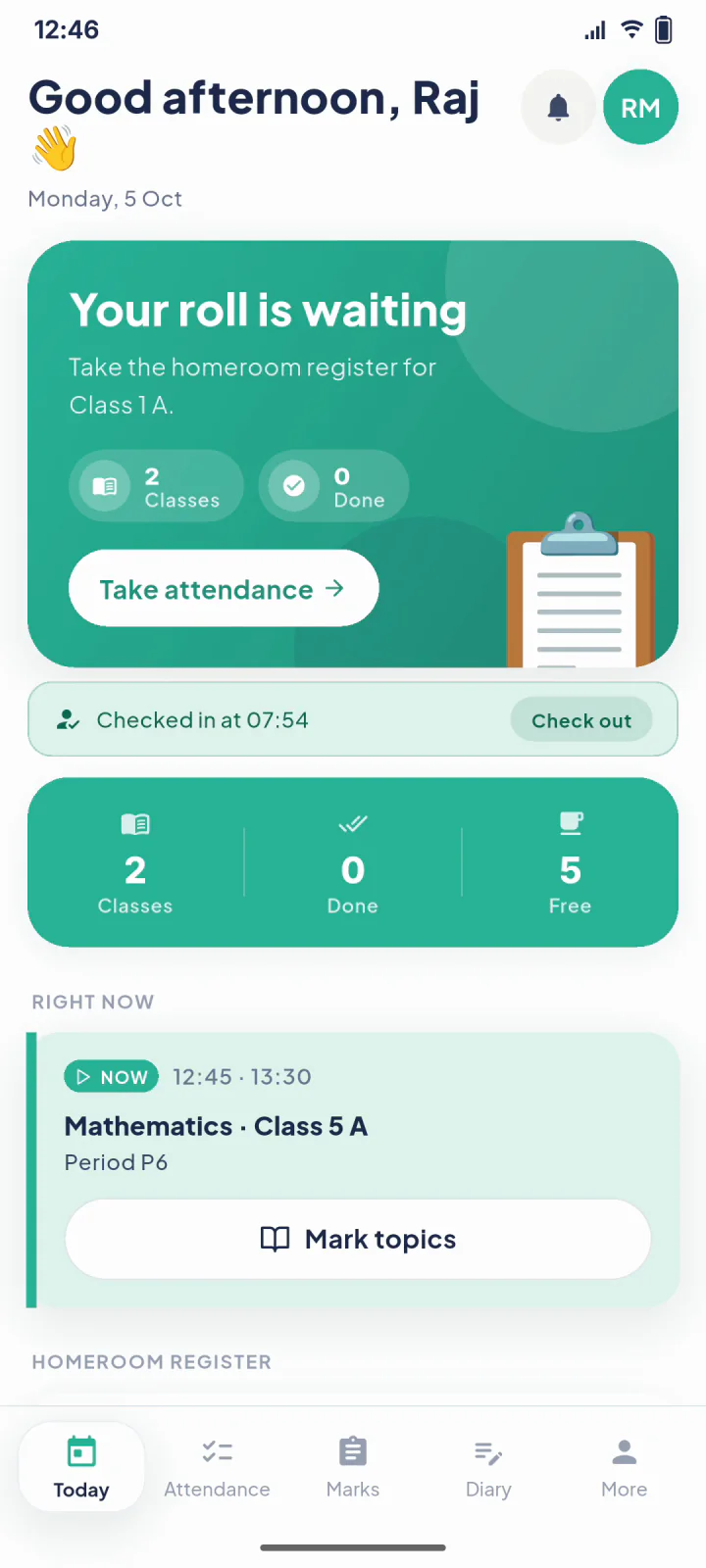
Efficient and day-at-a-glance. The "right now" card always shows your current period, with one-tap actions for the things you do most.

  • Today's timetable with live "right now" and "next up" cards
  • Class teachers mark their own class's attendance each morning, by tap, swipe or "mark all present"
  • Inline mark entry with automatic grade chips
  • Topic diary & homework that publishes to parents
  • Works offline, syncs the moment you're back online
Teacher app guide
The teacher app's Today screen: the homeroom register waiting, a check-in at 07:54, and the class happening right now
Parent & Student app

A warm, reassuring window onto their child

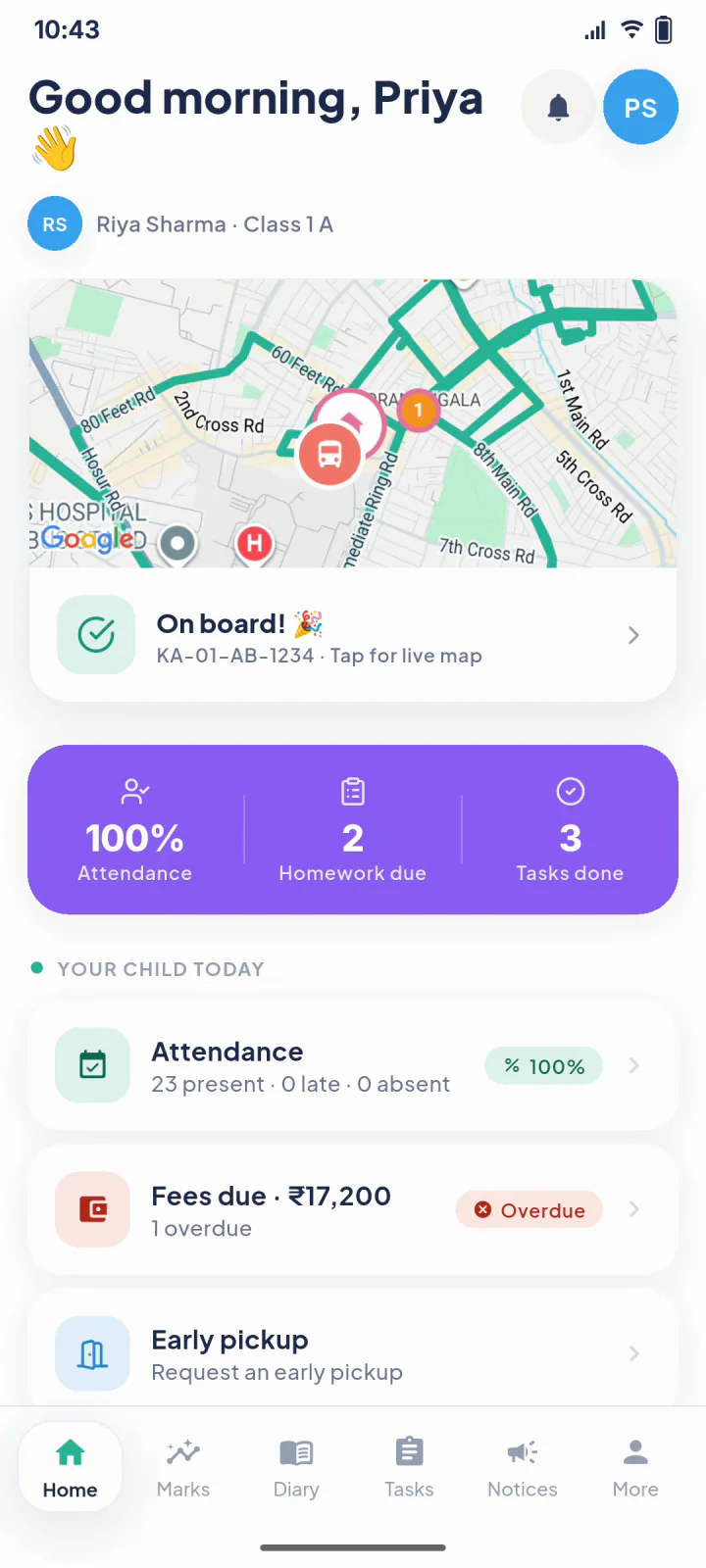
Built around what parents care about most. The live van greets them on the home screen; academics, homework, fees and notices are all one tap away.

  • Live van card with map, showing how many stops away the van is
  • Attendance, marks, report cards and homework
  • Fee dues and instant receipts (pay online where your school enables a gateway)
  • Every notice and result, beautifully organised
  • Multi-child switcher for families with siblings
Parent app guide
The parent app home screen: the van on a live map with an On board message, and the child's attendance, homework and tasks
Driver app

So simple, it's impossible to get wrong

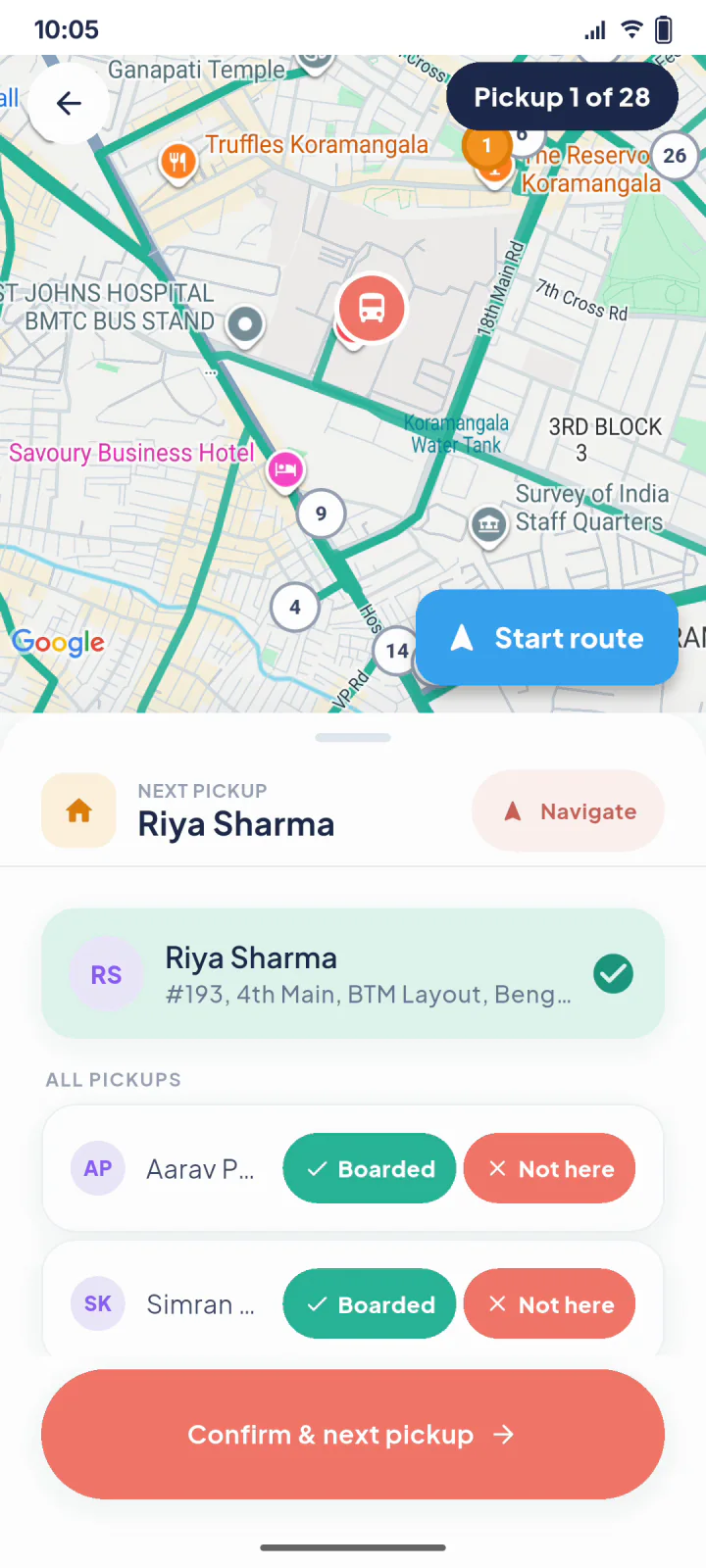
Giant candy-coloured buttons, one task per screen. The driver taps "Start route" and GPS sharing begins, then it's a clear, stop-by-stop checklist for the whole journey.

  • One big "Start route" button, tracking begins automatically
  • Stop-by-stop boarding checklist with huge tap targets
  • "Not here" instantly alerts the parent
  • Van documents & maintenance log built in
  • SOS & report-issue, always one tap away
Driver app guide
The driver app during a run: the pickups on a map and a Boarded or Not here button for each child, the first already marked boarded
The web console

A bright control room for the office

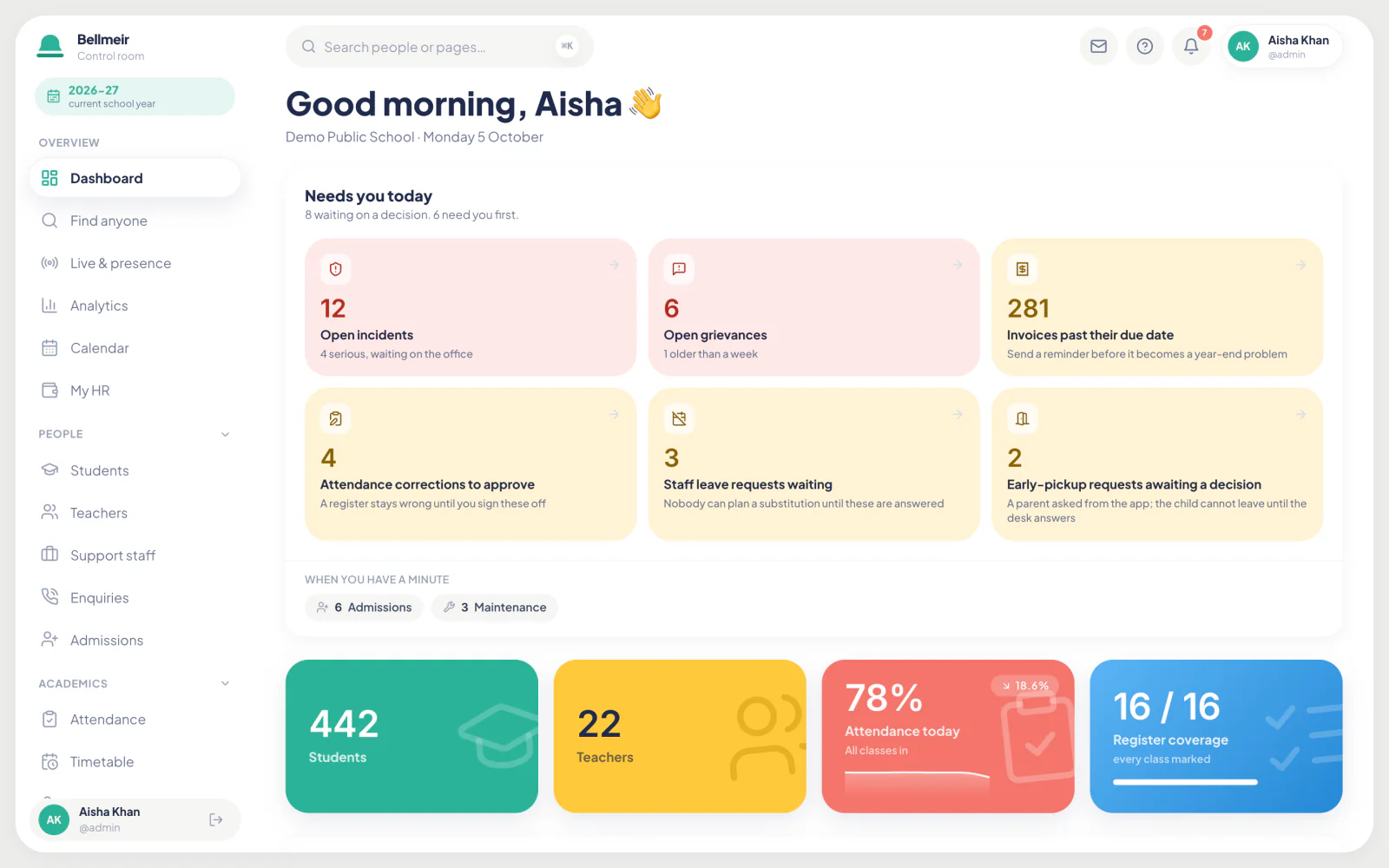
Everything the administration needs, in one beautifully organised dashboard, designed to feel like a great consumer app, not enterprise software.

app.bellmeir.com/dashboard
The Bellmeir admin dashboard: a good-morning greeting, the decisions waiting today, and the school's figures for students, teachers, attendance and registers taken
Getting the apps

Signing in takes a phone number

No email to set up, no IT helpdesk. Families and drivers install the app and sign in with their phone number and the password the school office gives them.

1. Install

Download the Bellmeir app for your role from the app store (or the link your school shares).

2. Enter phone

Type the mobile number registered with your school, plus the password the office issued.

3. You're in

No code to wait for: you land straight on your home screen. Teachers sign in with their school email and choose their own password the first time.

Note for owners: the teacher, parent and driver apps are distributed to your school's people. Your office invites them by adding their phone number, no public sign-ups.

Want a hands-on tour?

We'll walk you through every app, live, with your school in mind.

Book a free demo